

Time Tracking Software: A Smarter Way to Manage Work Hours – IssueWire
Pdfwhatsapp
Time Tracking Software: A Smarter Way to Manage Work Hours
Time tracking software helps businesses accurately record working hours, understand productivity, simplify timesheets, and make better workforce decisions. Modern solutions automate time tracking while giving teams greater visibility and flexibility.
Gurgaon, Haryana Sep 9, 2026 (Issuewire.com) – Managing employee working hours sounds simple, but for many businesses, it can quickly become complicated.
Employees may work from different locations, switch between multiple projects, attend meetings, handle client work, or have flexible schedules. When working hours are recorded manually, it becomes difficult to know how much time is actually being spent on different tasks.
This is where time tracking software can make a meaningful difference.
Instead of depending on spreadsheets, handwritten timesheets, or employees remembering their working hours at the end of the day, businesses can use software to automatically record and organize work time.
What Is Time Tracking Software?
Time tracking software is a digital solution that helps businesses record employee working hours and understand how time is being spent throughout the workday.
Depending on the platform, it can track activities such as:
The goal isn’t simply to count hours. Good time tracking software helps organizations understand how their workforce operates and where time is being invested.
Why Businesses Are Moving Away From Manual Timesheets
Manual timesheets have been used for years, but they can create unnecessary administrative work.
Employees have to remember when they started and stopped working, managers need to review submitted timesheets, and HR or payroll teams may have to correct inconsistencies.
Even small mistakes can become a problem when a company has dozens or hundreds of employees.
Automated time tracking reduces this workload by collecting information digitally and making it easier to review.
This gives managers more time to focus on actual business priorities instead of spending hours checking spreadsheets.
Benefits of Time Tracking Software
1. More Accurate Working Hours
One of the biggest benefits is improved accuracy.
Automated tracking can reduce the possibility of forgotten hours, incorrect entries, or duplicated timesheets. Employees can have a clearer record of their working day, while managers get more reliable information.
2. Better Productivity Insights
Time data can reveal patterns that aren’t always obvious.
For example, a team might spend significantly more time on administrative tasks than expected. Another team could be spending too much time in meetings.
These insights can help managers identify opportunities to improve workflows without relying entirely on assumptions.
For businesses managing multiple projects, knowing how much time employees spend on each project can be extremely useful.
Teams can compare estimated project hours with actual time spent and identify projects that require more resources than expected.
Over time, this information can help businesses plan projects more realistically.
Nobody enjoys spending unnecessary time filling out timesheets.
Time tracking software can automate much of the process, reducing repetitive administrative work for both employees and managers.
Instead of creating a timesheet from memory, employees and managers can work with automatically collected data.
5. Improved Remote Work Management
Remote and hybrid work have changed how businesses think about employee time.
Managers may not physically see when employees begin work, take breaks, or finish for the day. That doesn’t mean remote teams cannot be managed effectively.
Time tracking software provides visibility into work patterns while allowing employees to work from different locations.
The key is using the technology responsibly and focusing on transparency rather than unnecessary surveillance.
Historical time data can help businesses understand staffing requirements.
If certain projects consistently require additional hours, managers can identify the need for more resources. If workloads are uneven across teams, managers can redistribute work more effectively.
This can support better workforce planning and reduce unnecessary pressure on employees.
What Features Should You Look For?
Not every time tracking platform offers the same capabilities. Before choosing software, businesses should consider their actual requirements.
Automatic time tracking: Reduces the need for manual entries.
Attendance tracking: Helps organizations understand employee schedules and attendance patterns.
Project tracking: Allows teams to connect working hours with specific projects or tasks.
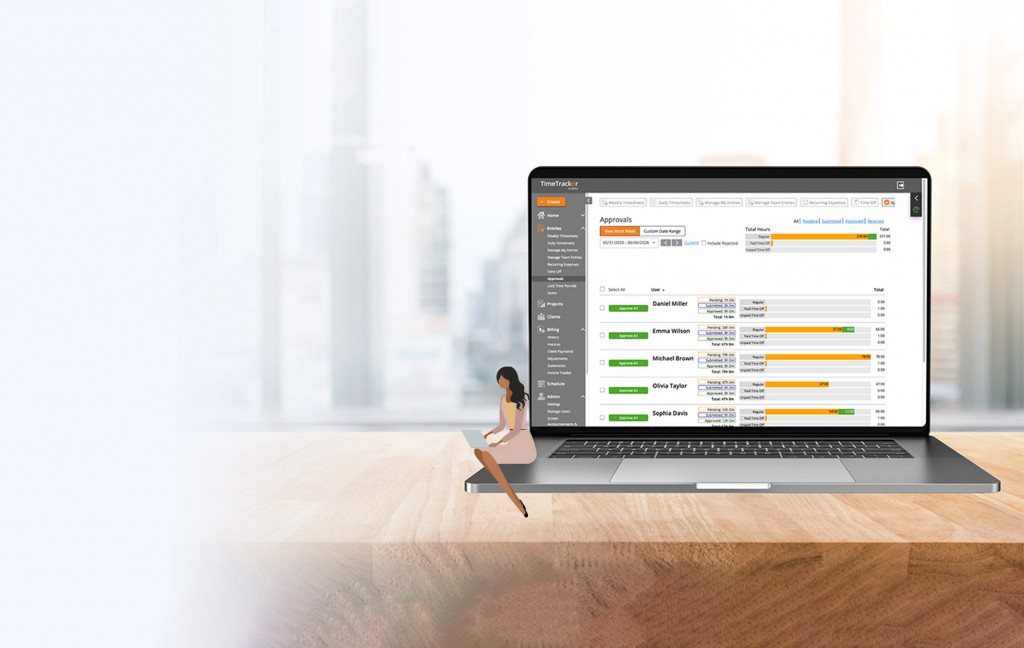
Timesheet management: Makes reviewing and approving hours easier.
Productivity insights: Provides a broader view of how work time is being used.
Reporting: Helps managers and business leaders analyze workforce data.
Remote workforce support: Useful for distributed and hybrid teams.
Integrations: Connecting with project management, HR, payroll, or other business tools can reduce duplicate work.
Time Tracking Is More Than Counting Hours
A common misconception is that time tracking software is only useful for calculating employee hours.
In reality, time data can become a valuable
When organizations understand how time is being allocated, they can make better decisions about staffing, project planning, processes, and workloads.
For example, if a particular process consistently consumes several hours each week, management can investigate whether automation or process improvement could reduce that workload.
This turns time tracking from an administrative activity into a tool for continuous improvement.
Creating a Transparent Tracking Culture
Technology alone doesn’t make time tracking successful.
Employees should understand what information is being collected, why it is collected, and how it will be used.
Clear communication is especially important for remote and hybrid teams.
Companies that explain the purpose of tracking and establish reasonable policies are more likely to build trust.
Time tracking should ideally help answer questions such as:
-
Are workloads balanced?
-
Are projects taking longer than expected?
-
Where are teams spending the most time?
-
Can repetitive work be improved?
-
Are staffing levels appropriate?
These questions are more valuable than simply asking whether someone was online for a specific number of hours.
Choosing the Right Time Tracking Software
The best solution depends on the size and structure of the organization.
A small business may need simple automatic time tracking and reporting. A growing company may require project tracking, attendance, productivity analytics, integrations, and workforce management capabilities.
Before choosing a platform, businesses should evaluate ease of use, reporting capabilities, scalability, privacy controls, integrations, and the type of workforce insights available.
The software should make work easier, not create another complicated administrative process.
Time tracking software has evolved beyond traditional digital timesheets. Modern platforms can help organizations understand working hours, improve project visibility, support remote teams, and make more informed workforce decisions.
For businesses looking to improve productivity and operational efficiency, accurate time data can provide a useful foundation.
The real value comes from using that data thoughtfully—helping teams work smarter, improving processes, and creating a more transparent approach to managing time.
As workplaces continue to become more flexible and distributed, having reliable visibility into working hours will remain an important part of effective workforce management.
wAnywhere
support@shephertz.com
https://www.wanywhere.com/

WAnywhere
https://www.wanywhere.com/
Report Spam
