

Last month, I shared photos of the latest digital wrap I’d made for my Tesla and asked people what they thought. To my surprise, what they really wanted to know was, “How did you make that?” Some of them were Tesla owners themselves.
A quick explanation: a Tesla digital wrap changes the appearance of the 3D vehicle model on the car’s screen and in the Tesla app. The actual car stays the same.

The same digital wrap on the Tesla touchscreen and in the Tesla app, shown side by side
Left: the Tesla touchscreen. Right: the Tesla app.
A Friend’s Idea That Stuck with Me
One friend who owns a Tesla messaged me privately. He wanted to put photos of his own pets on a digital wrap, so he could see them whenever he got into the car or opened the app. I thought that sounded pretty cute.
I told him how to do it using Tesla’s official templates and Photoshop, but he didn’t know how to use Photoshop and eventually gave up.
Earlier this month, I saw people in a group chat discussing a Tesla digital wrap product. It caught my interest, so I searched online and found other people looking for similar things.
The group also mentioned a few products, which I checked out. They offered plenty of ready-made wraps to download and use for free, which was nice. They also supported AI generation: describe the theme and style you want, and AI helps generate a wrap.
At that point, the features seemed pretty comprehensive. You could download an existing design or generate one based on your own ideas.
Later, while chatting with that friend one evening, I was about to recommend those products to him. Then I remembered that he’d specifically wanted to use photos of his own cats and dogs.
So I took another look: could he upload his own photo, resize and rotate it, and put it where he wanted, as he would in Photoshop? In the products I checked at the time, I couldn’t find a convenient way to do that.
That made me realize that “I want a dog-themed wrap” and “I want this photo of my own dog on the car door” are two different needs. In the second case, the person already has an image they like. They need an easy way to edit it and see what the result will look like.
Two Weeks to Build the First Version
I’m a Tesla owner and have a background in development. The more I thought about it, the more I felt this was something I could build.
So, I got to work. After two weeks of late nights, I finally had the first version! It’s called Tesla Wrap Studio, and it lets you create digital wraps right in your browser.
The first version has two main parts.
I put together a gallery of ready-made digital wraps, including designs provided by Tesla, that people can download and use for free. If you don’t want to design something from scratch, there are options to choose from.
The gallery of digital wraps available to browse and download in Tesla Wrap Studio
2. Custom Wraps: Use Your Own Images or Generate a Design with AI
This was the part I most wanted to build. The editor lets you upload images, add text, and adjust your design for each area of the car’s body.
Thinking about my friend’s request, simply being able to upload a photo wasn’t enough. He also needed an easy way to put it where he wanted. So I wanted people to be able to select an area such as a door or the hood, then adjust the image’s size, position, and rotation while seeing a live 3D preview alongside it.
In the example below, I’ve placed a dog’s photo on the right front door. As the photo is adjusted, the preview on the right shows how it looks on the car.
Adjusting a dog’s photo on the right front door while viewing the result in the 3D preview
You can also enlarge the preview and rotate the car to check the image’s placement and see how the design looks overall.
An enlarged 3D preview of the dog’s photo on the car door
If you don’t have an image to start with, you can describe the theme and style you want and use AI to generate a wrap. This cartoon dog design is one example.
The layout of an AI-generated cartoon dog wrap in the editor
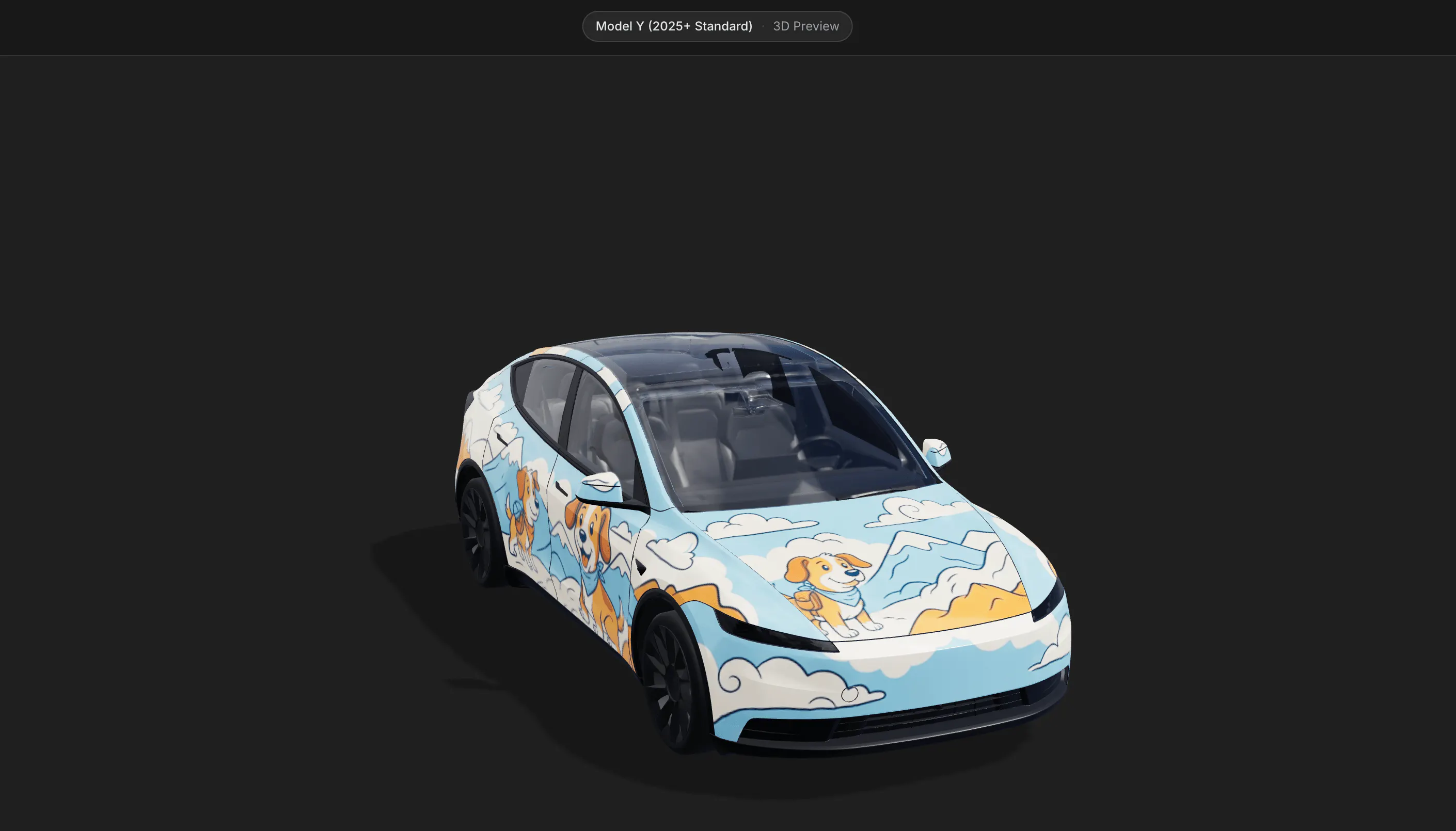
Here’s how the same design looks on the vehicle model:
A full 3D preview of the AI-generated cartoon dog wrap
I also added an AI refinement feature. For example, if you’ve finished one or two areas of the car, AI can help complete the remaining areas. If the styles across different areas don’t quite work together, it can also help make the design more consistent and refine the result.
A Paying Customer Before I’d Started Promoting It in Earnest
With the first version ready, I felt it was time to start getting it in front of people, so I asked friends to try it out.
Then, one morning, before I’d started promoting it in earnest, a payment came in: a user in Japan had found the product through Google and paid for it!
Seeing that payment notification made me really happy. I’d spent so many nights working late over those two weeks. Having someone willing to pay for something I’d built was a real encouragement.
A payment notification for Tesla Wrap Studio, with the customer’s email address hidden
But someone being willing to pay doesn’t mean the product is already as easy to use as it should be.
It’s a very specific need, but it’s one I share. Being able to build something that my friends and I wanted to use means a lot to me.
Next, I want to keep improving the process of uploading photos, adjusting their position, previewing the design, and exporting it. My friend originally gave up because he didn’t know how to use Photoshop. I’d like someone trying digital wraps for the first time to be able to bring their own idea to life without getting stuck.
